Voice dictation produces the raw material an LLM knowledge base needs, so capture should prioritize speed over formatting.
2
An enrich-note skill can add timestamps, fixed-list tags, source links, web research, and backlinks across a Markdown folder.
3
Scheduled agents can sync notes to a cloud sandbox, update them, generate a wiki, and sync the results back before you return to your computer.
Summary
Ben Holmes presents a workflow for turning scattered personal notes into a browsable knowledge base. He starts with voice dictation because it is faster than typing and produces more raw material. The notes can remain messy at capture time. An agent skill later adds timestamps, tags from a reference list, source URLs, web research, and backlinks to related files. A second step generates a wiki that groups people, concepts, organizations, and sources from the notes. Holmes bases this approach on Andrej Karpathy's knowledge-base gist. He then shows how scheduled automations can sync Markdown notes into a cloud sandbox, run the enrichment and wiki skills, and sync the files back. The final example uses an agent to build an HTML and Tailwind graph view, letting him inspect themes and gaps in his own interests. The workflow depends on having enough raw notes and on giving agents clear constraints about how those notes should be changed.
Voice dictation makes note capture faster than typing
Holmes argues that voice dictation is the fastest way to get thoughts onto paper. He estimates that people speak at about 200 words per minute, which is faster than typing unless someone is an unusually fast typist. He recommends using voice input to capture context from meetings, research, or ideas that occur away from a desk. His own notes include a long transcription made after listening to the Acquired podcast about the founding of Walt Disney. The point is to remove friction from capture, even when speaking into a computer feels awkward around coworkers.
Raw notes should be plentiful before they are organized
The later wiki and visualization steps need enough source material to work with. Holmes tells people not to worry about perfect bullet points or polished formatting while capturing ideas. A note can be a rambling thought, a meeting transcript, or research written after reading an important passage. The useful part is getting the idea into a file so an LLM can access it later. He describes the raw notes as ingredients. Organization happens after there is a substantial folder of them, rather than slowing down the first step.
Local voice tools remove the need for a dictation subscription
Holmes points to Handy as an open-source voice dictation tool that uses a local model and stays on the device. He also uses Voice Ink, which he describes as having a roughly $20 lifetime fee for updates, a keyboard shortcut, and a mobile app. Holding a computer key starts dictation, and the tool turns the speech into sentences and paragraphs with punctuation. These options give users a way to capture notes locally instead of paying for a Whisper Flow subscription.
An enrichment pass turns one transcript into a connected note
Holmes shows a note about the founding of Ferrari after an enrichment pass. The original voice transcription remains in the middle, while the updated file includes topic tags, a source URL, the time it was enriched, and backlinks to related notes. The backlinks connect it to another podcast note, making the network denser as more files are added. This gives an agent enough structure to find related material without requiring Holmes to organize every connection himself.
The enrich-note skill uses timestamps and a controlled tag list
The skill instructs an agent to add a timestamp, generate tags, research the source with web tools, and find related notes through file calls and key-term searches. Holmes keeps his tags in a reference folder so the agent chooses from an existing list instead of inventing labels on every pass. He tells the agent to be reluctant to add new tags because Claude "loves to get creative." The timestamp also lets later runs identify notes that have already been processed.
A generated wiki makes personal notes browseable by entity
After notes are connected, Holmes asks an agent to generate a wiki over them. His example groups material into sources, concepts, people, and organizations. The wiki can collect scattered notes about AI research, music, books, or other interests and provide entries with links back to the original files. He also describes a Bible study example where entries gather references about people whose names are easy to confuse. The same pattern can apply to workplace notes, such as meetings with clients or colleagues, with backlinks to those meetings.
Karpathy's gist provides the simple raw-folder-to-wiki pattern
Holmes says the LLM knowledge-base idea came together for him through a gist by Andrej Karpathy. The pattern starts with a raw directory containing spare notes, selects a focus area, and generates a wiki from the relevant material. Holmes created his latest AI wiki by describing the topics he cared about, pointing the agent at his raw folder, and supplying the rest of the gist. He presents the result as something that can be adjusted to fit the user's interests rather than as a fixed application.
Cloud schedules can update notes while the owner is away
Holmes wants enrichment and wiki generation to happen on a daily or weekly cadence instead of only when he remembers to run an agent. Local automations, such as the Codex app's scheduled tasks, require the laptop to be open. His cloud workflow uses oz.dev to start a sandbox, sync a Markdown folder into it, run the note skill, and sync the changed files back. The Obsidian headless CLI handles the sync, although he says a GitHub folder and git clone could also work.
An agent-built graph view reveals themes and missing connections
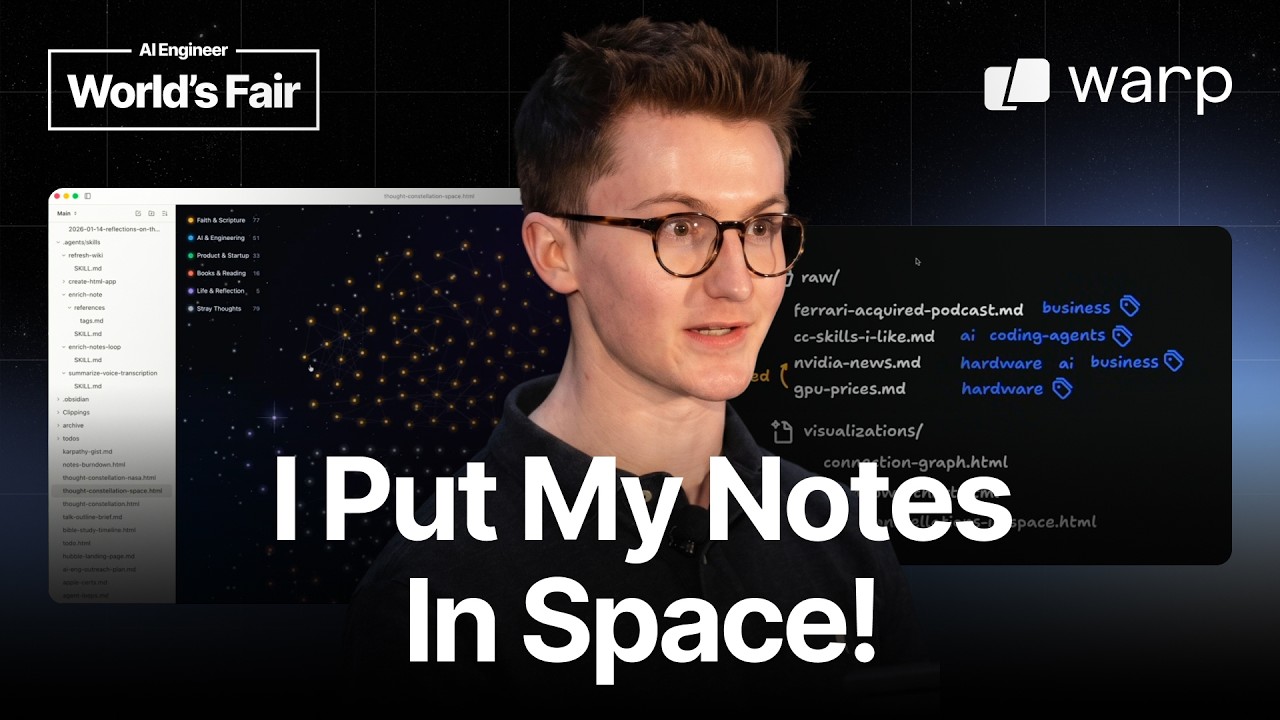
Holmes asks an agent to build a graph view from his Markdown files using HTML and Tailwind. The result places notes into clusters around books, startup founding, AI and engineering, faith, and scripture. The nodes are clickable, so he can inspect a note and see its connections. He says the view helps him see what he is interested in and where his thinking has gaps. Since the graph is generated by asking an agent to build it, he can also change the presentation, such as turning it into a star-constellation view or adding a GitHub-style habit chart.
"Voice dictation, even though it is pretty awkward to talk into your computer with a bunch of co-workers around, is the fastest way to get your thoughts onto paper."03:01
Who should watch
You have a large Apple Notes or Markdown folder and want to find old ideas without manually reorganizing every file.
You capture thoughts on your phone, in meetings, or while reading, and need a workflow that keeps capture faster than formatting.
You want scheduled agents to enrich personal or work notes and create links between people, sources, concepts, and meetings.