MCP gives AI assistants a standard way to communicate with tools and services that their host applications did not build themselves.
2
The difficult part of building a Jarvis-like assistant is integrating it with every service a user might need, including services used only once.
3
An MCP server can provide authenticated tools and context while the AI assistant decides which tools to call and how to present their results.
Summary
Kent C Dodds explains why AI assistants still fall short of the Jarvis experience. Large language models can answer questions, but useful assistance requires access to calendars, search, messages, local services, and application actions. Host applications have added integrations, but each one is limited by the time available to the company building it. MCP addresses this by defining a standard interface between AI clients and service-specific servers. Kent live demos three MCP servers with Claude Desktop: one derives his location, another retrieves weather, and EpicMe authenticates him and creates a journal entry. The assistant chooses tools, asks for approval, handles OAuth authentication, creates a tag, retrieves the entry, and formats the result. He also shows how the model can translate server output and suggests that future clients could render dynamic interfaces. The talk presents MCP as a way for product developers to make their applications available inside the AI assistants users already use.
Jarvis can combine research, data, and actions in one interaction
Kent uses Tony Stark's Jarvis to show the kind of assistant people want. Jarvis compiles a Mandarin database, reconstructs a crime scene, reads public records, searches satellite data for thermogenic occurrences, joins information across datasets, and creates a flight plan. Kent also points to generated interfaces and the ability to show who is at the door. The appeal is that the assistant can move between different kinds of information and actions without making Tony operate each system separately. A human could do the same research, but it would take longer and require much more manual work.
Integrations are the main obstacle to a general-purpose assistant
Kent says the technology can already generate user interfaces, but assistants still lack access to enough services. Building an integration for every possible system is expensive, especially for services that a user may need only once. He gives the example of a local city government website used to reserve park pavilions. Google or another large assistant provider is unlikely to build a dedicated integration for every local service. A useful assistant needs a way to work with unfamiliar services without requiring the user to click through each website and learn its interface.
AI interaction has moved from answers to tool use, but host applications remain limited
Kent describes three phases. ChatGPT made LLMs useful through the host application around the model, with a better interface for asking questions. At first, users supplied context by copying in code or images and copied the answers back out. In the second phase, host applications could call integrations such as search, calendars, and Slack when the model needed more context or needed to perform an action. That improved the experience, but the available tools still depended on the integrations built by OpenAI, Anthropic, or another host developer.
MCP standardizes the connection between assistants and services
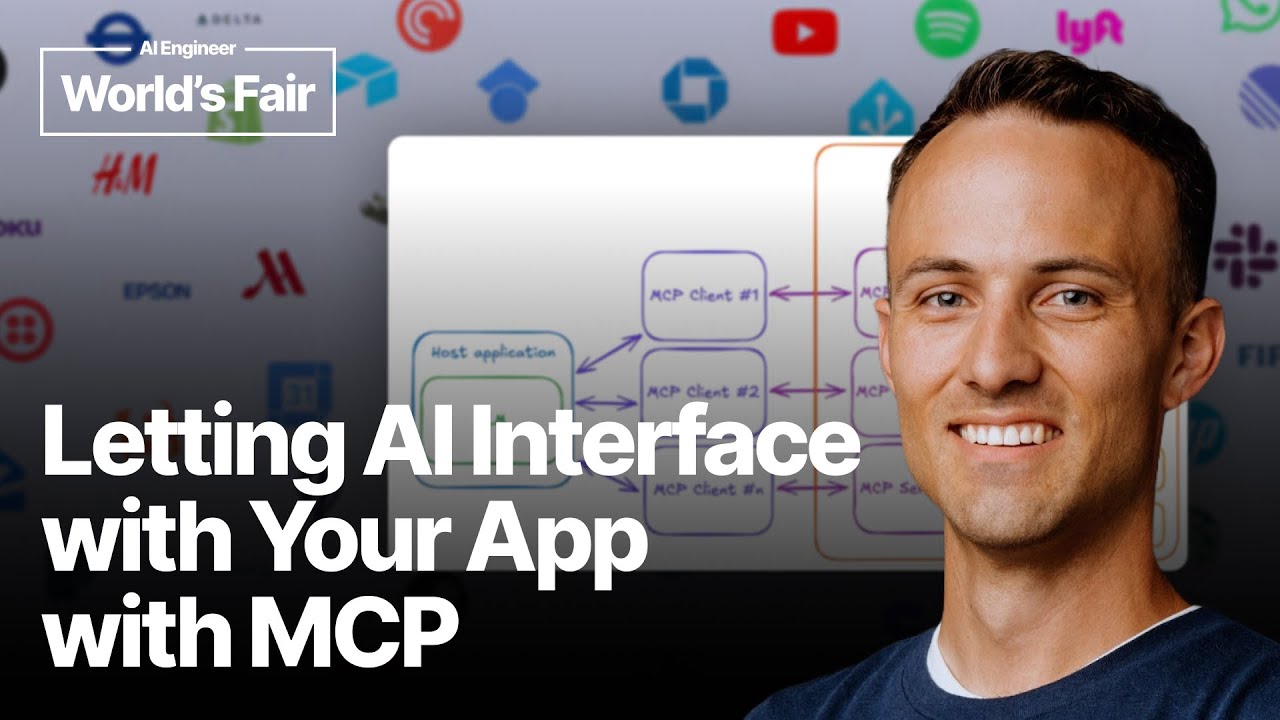
MCP is Kent's third phase. A service provider builds an MCP server to expose its own tools and capabilities, while an AI host creates a standard client for each service. The assistant can then use services that support the MCP specification instead of requiring a special integration for every AI product. Kent describes the server side as supporting tools, resources, prompts, and sampling. The service provider controls what is specific to its application, while communication between the host client and the server follows a common interface.
The host tells the model which services are available
In Kent's architecture, the host application communicates with the LLM and supplies the currently available services as context. Services can be added or removed dynamically. The model receives the user's request and the available tools, then selects the tool that best fits the task. The host maintains a client for each MCP service, and each service provider maintains its own MCP server. This division lets a service define its own operations without forcing every AI host to write a custom integration for that service.
A journal workflow can span location, weather, authentication, and application data
Kent demonstrates a request to write a journal entry about a trip with his daughter. A location server determines where he is, a weather tool retrieves conditions for those coordinates, and the EpicMe server handles authentication before creating the journal entry. He supplies an email address, retrieves a validation token from his local console, and gives it to the MCP client. The model writes the entry, checks available tags, creates a travel tag, and adds it to the entry. The example shows one natural-language request triggering actions across several MCP servers.
MCP responses can become user-facing content instead of raw tool output
When Kent asks to see the journal entry, the server returns its data and the model decides how to present it. Instead of showing only JSON, the assistant formats the entry as readable Markdown with a title and content. Kent says a future client could render a card or another dynamic UI from the same context. He also asks the model to translate the entry, showing that a server can respond in English while the assistant presents the result in another language. The server supplies application context, while the client controls the user experience.
Authentication and user approval still limit the current experience
Kent points out that today's clients require approval for tool calls because users have not yet built the level of trust Tony has with Jarvis. His demo uses authentication based on OAuth 2.1, and the EpicMe service is accessible only through MCP rather than as a normal web application. He expects reliability and client support to improve, but the demo makes the present limitation clear. The underlying server can authenticate and perform actions, while the assistant still needs a user to approve operations.