MCP Apps let an MCP server return branded, interactive HTML instead of a text response.
2
The host keeps control of the interaction flow, turning clicks in an app into prompts, tool calls, or other agent actions.
3
The protocol aims to let developers build an interface once and run it across hosts such as Claude, ChatGPT, and coding assistants.
Summary
Ido Salomon and Liad Yosef explain MCP Apps, an extension to MCP for returning interactive interfaces inside chat and coding assistants. A tool call can link to an MCP resource containing HTML. A compatible host renders that resource in a sandbox, and events from the interface travel back to the host, which decides whether to call a tool, run a prompt, or continue the agentic flow. The approach lets services keep their visual identity and gives users charts, forms, and other focused views instead of long text responses. The speakers describe MCP Apps as part of a wider shift toward consuming small pieces of websites through personal assistants. They also cover work still in progress, including reusable views, app tools, and interoperability with declarative and generative UI standards such as A2UI. Their distribution argument is direct: a service that supports the protocol can appear across every compatible host without building a separate integration for each one.
Text responses make useful services look like databases
Salomon says chat clients naturally began with text, but text is a poor way to convey a large amount of information. Companies building MCP servers may worry that their service will be reduced to a textual database and lose the brand identity and user experience they built. MCP Apps address this by letting a service send UI chunks into the chat. A user could see recognizable interfaces from Shopify, Hugging Face, or Monday rather than an undifferentiated block of prose. The interface can also be interactive, so a user can act on information and the service can respond.
MCP UI became the foundation for an official MCP extension
Liad Yosef describes MCP UI, created in May of the previous year, as an open protocol for interactive applications over MCP. It covers both transmitting UI and communication between the application and its host. A few months before the talk, the team partnered with Anthropic and OpenAI to create the official MCP Apps extension, drawing on MCP UI, the MCP SDK, and other work in the field. Claude and VS Code supported it at launch, followed by OpenAI and other hosts. Early adopters named in the talk include 11 Labs, Shopify, Postman, and Goose.
A tool call can return HTML through an MCP resource
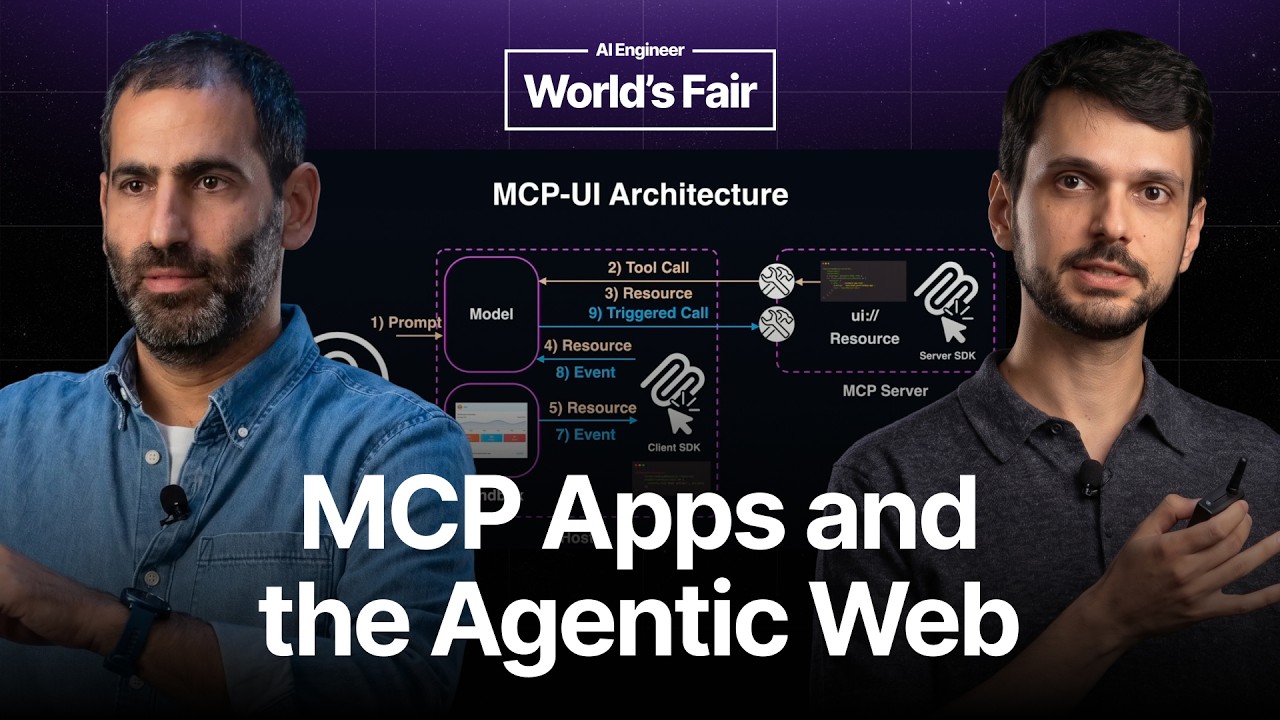
The basic flow starts with a user request and a tool call. If the server supports MCP Apps, the tool call links to a resource. That resource can contain HTML, which a compatible host turns into an interactive application. In the example, a server returns a music interface instead of a textual answer. The host consumes the resource, often by preloading it, and passes it to an MCP UI SDK component. The component renders the HTML in a sandbox, using a callback for communication between the app and the host.
Interaction follows a controlled path. When a user clicks a button inside an MCP App, the app sends an event to the host rather than directly calling its backend. The host retains control of the flow and can decide to call a tool in the service's MCP server. In the PostHog example, a user can inspect a funnel, ask for an explanation, or click a particular funnel step to send a prompt back to the model. This turns a static visualization into part of the agentic loop.
Small branded UI pieces can be composed by an assistant
Yosef presents MCP Apps as a different way to consume the web. Planning an anniversary could otherwise require many browser tabs and repeated interactions with separate dashboards. An assistant with context about the user could compose small UI pieces from services such as Google Calendar, Amazon, Booking.com, or Shopify. The user still sees familiar branded components, while the host assembles them around the task. The service keeps its identity, and the host does not need to recreate every service's interface.
When a user interacts with a Shopify MCP App, Shopify no longer controls the entire journey. The host controls the flow through the chat, which can make actions auditable. The speakers describe three levels of control that MCP Apps standardizes: an app can notify the chat that something happened, ask the chat to run a prompt, or hand responsibility for the next action to the chat. This defines a new interaction pattern between applications, assistants, and users.
The speakers say the MCP Apps specification is still evolving and invite contributions through its repository and the MCP committee working group, which meets every three weeks. Proposed work includes reusable views for heavy applications such as Autodesk's 3D renderer, so the same view does not need to be rendered repeatedly. Another area is app tools, also called view tools, which let the host speak to an app. For example, a user could ask the chat to fill out a form, and the chat could operate the app's interface.
MCP Apps supports a range of UI generation approaches. One end uses predefined UI packaged as an app, while other approaches return declarative instructions, such as JSON rendered by the host, or generate the UI dynamically. The speakers mention JSON render and A2UI and describe work on interoperability between these standards. A server could write A2UI for Gemini while wrapping the same material as an MCP App for ChatGPT. They also show the same code base running in different MCP App hosts.
The protocol offers distribution through compatible hosts
The speakers frame MCP Apps as a way to distribute applications through assistants. They cite the claim that ChatGPT has 800 million weekly users and compare that scale with the web's growth to a similar number. Their argument is that a service supporting MCP Apps can reach users through hosts such as Claude, OpenAI products, and other compatible clients. Developers can clone the official repository, build an app, and have the same application run across supported hosts instead of making a separate integration for each one.